PCやスマホから、下記URLにPDFファイルをアップロードすると「オンデマンドプリンタ」に送信されます。
https://libodp.meijigakuin.ac.jp/KsUploadPdfFxMgu.php
- 設定は不要です。
- 学内ネットワーク接続のみ利用できます。
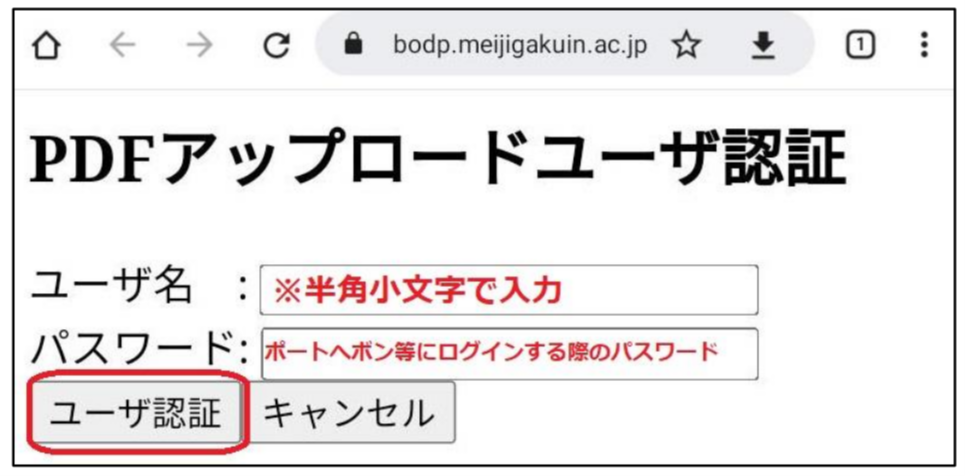
- ページ割り付け(2UP/4UP)、両面印刷の指定もできます。
- PDFファイルに変換すると、Officeアプリ、Webページなど様々なファイルを印刷できます。
※参照「Webページのエコ印刷とPDF変換 」
※参照「Webページのエコ印刷とPDF変換(Webキャプチャ編)」
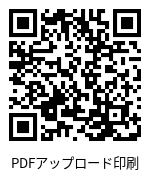
1. 上記サイトにアクセス
2. MAINアカウントでサインイン
※ユーザ名は半角小文字(学籍番号)
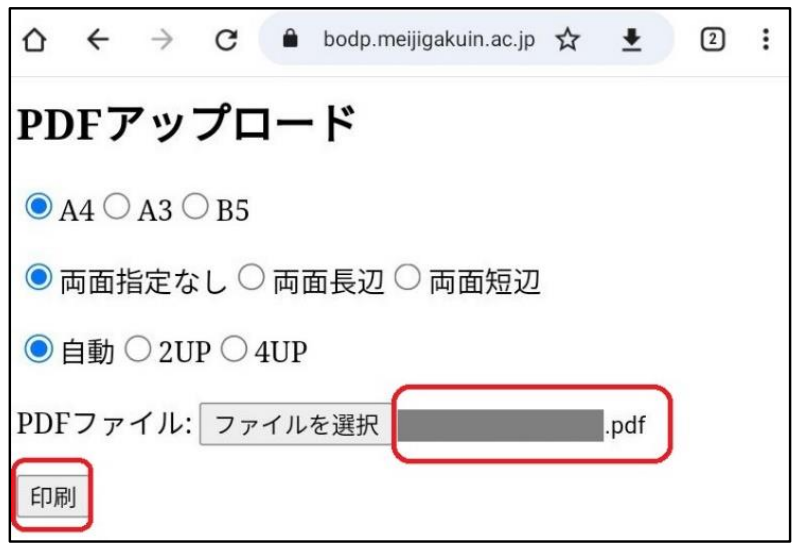
3. 用紙サイズ、片面/両面、割付け指定
4. ファイルを選択
5. ファイル名を確認
6. 【印刷】
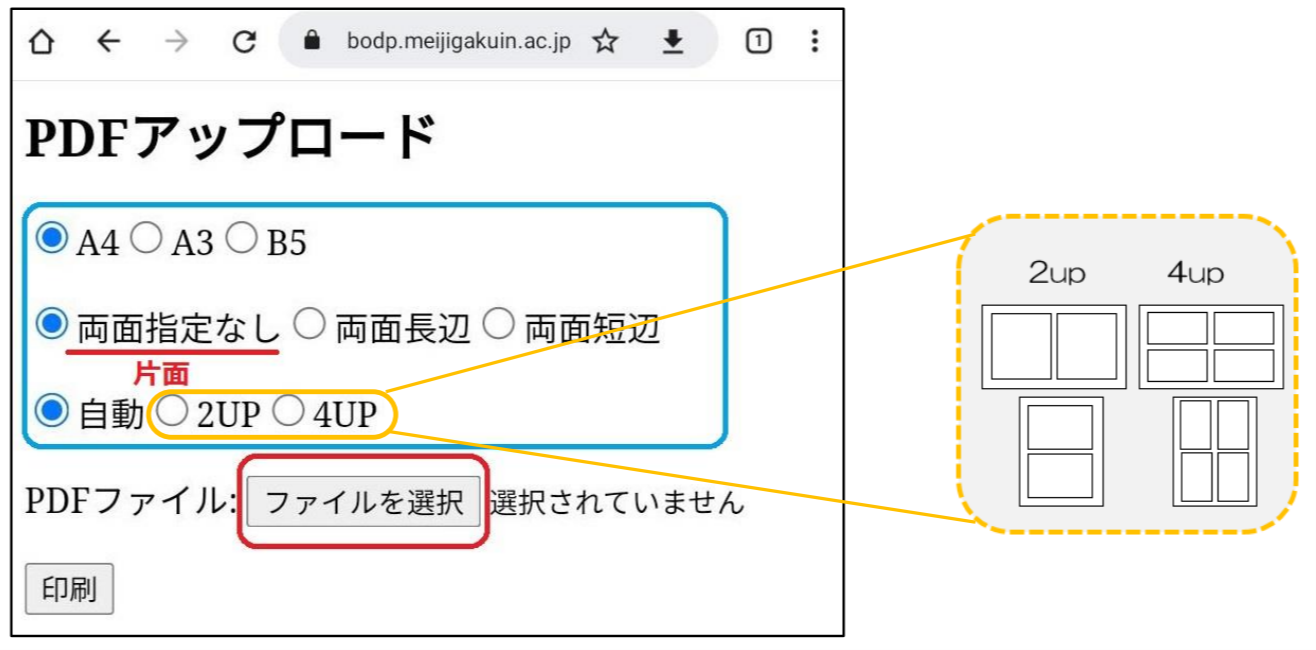
7. アップロード結果を確認
8. 終了のときは、ページを閉じます。
継続のときは、【続けて印刷を行う】を選択