メニュー 閉じる

AVD【Windows】アプリのインストール

▶「AVD:仮想PC実習室」へ

※旧アプリ「Microsoft Remote Desktop」をインストール済みの場合は、アンインストールしてください。

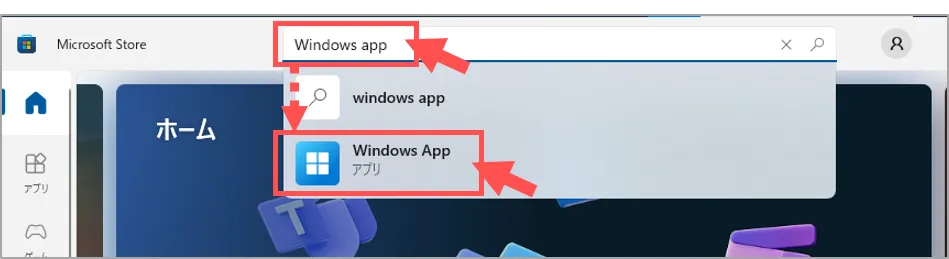
1.【Microsoft Store】を開きます

※または、下記のURLにアクセス
▶「Windows App – Windows に無料でダウンロードしてインストールする」(Microsoft公式)
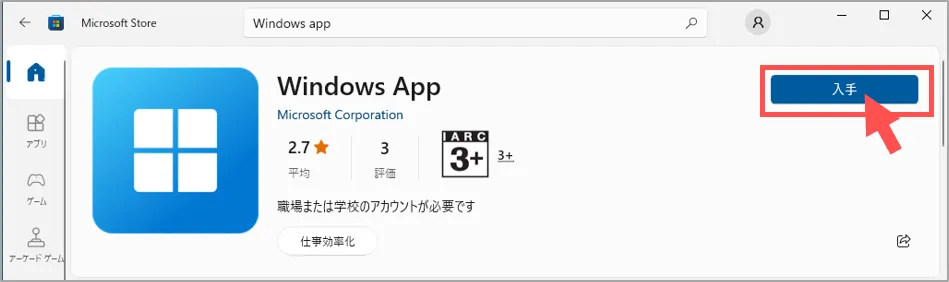
2.Microsoft Store からアプリを入手

  • 「Windows APP」 を検索
  • 【入手】をクリック
  • インストール

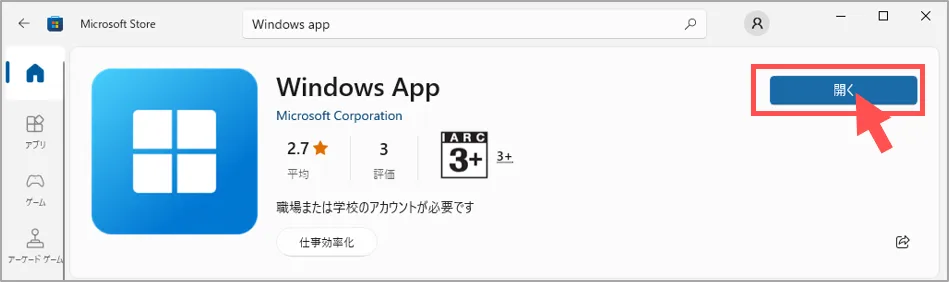
3.アプリを起動

  • 【開く】をクリック

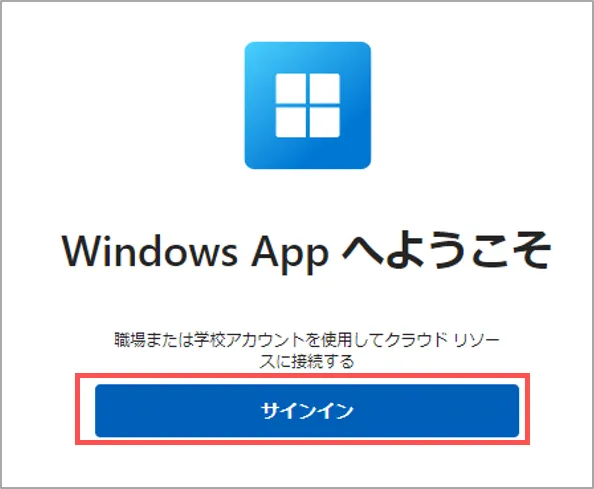
4.サインイン

  • 【サインイン】をクリック
    • MAINアカウントでサインイン
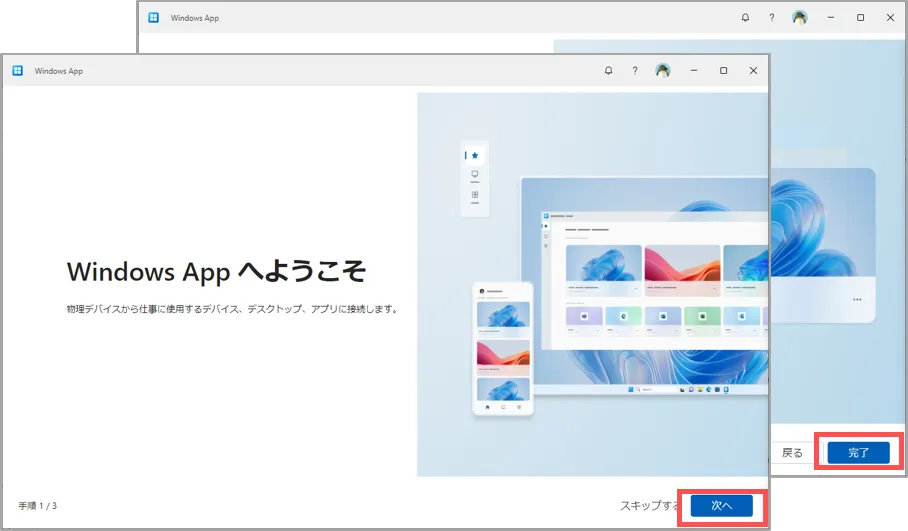
  • Wellcome画面を確認し、【次へ】をクリック
  • 【完了】をクリック

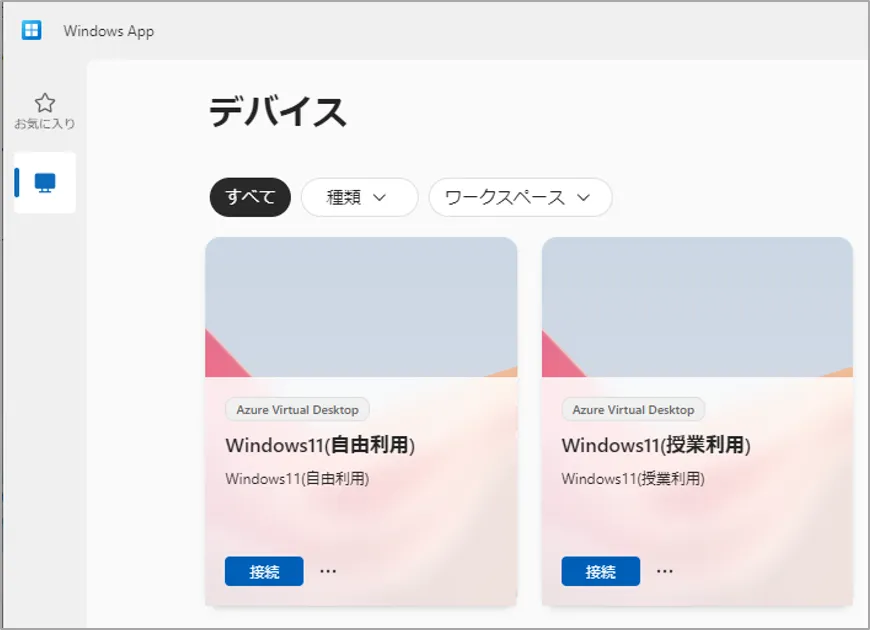
5.【Windows App】が起動します

▶「アプリからの接続」へ
▲Topへ

作成:2025/01

This website stores cookies on your computer. These cookies are used to provide a more personalized experience and to track your whereabouts around our website in compliance with the European General Data Protection Regulation. If you decide to to opt-out of any future tracking, a cookie will be setup in your browser to remember this choice for one year.

Accept or Deny