メニュー 閉じる

プライベート ウィンドウの起動方法

Windows / Mac

Windows

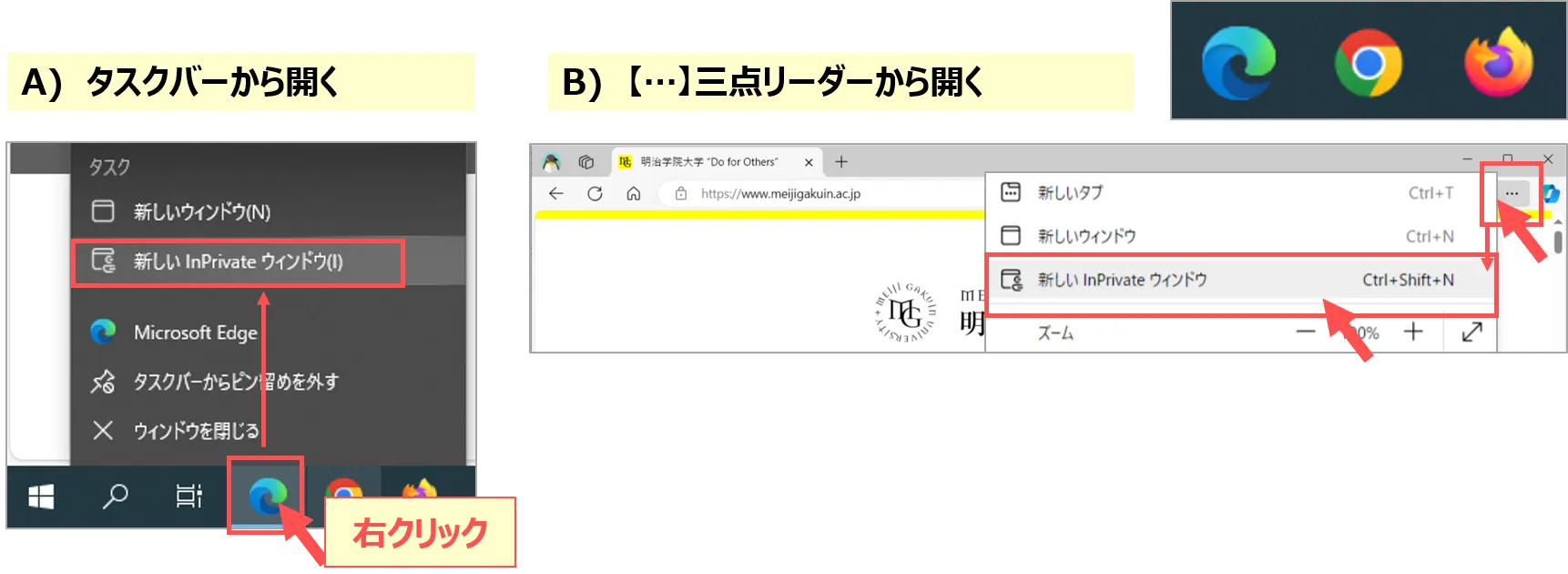
  • プライベートウィンドウでは、閲覧や検索の履歴がブラウザーに保存さず、他のデバイスと共有されません。
  • ブラウザにより名称が異なりますが、手順は同様です。
    Edge(InPrivate ウィンドウ)、Chrome(シークレットウィンドウ)、FireFox(プライベートウィンドウ)
Mac

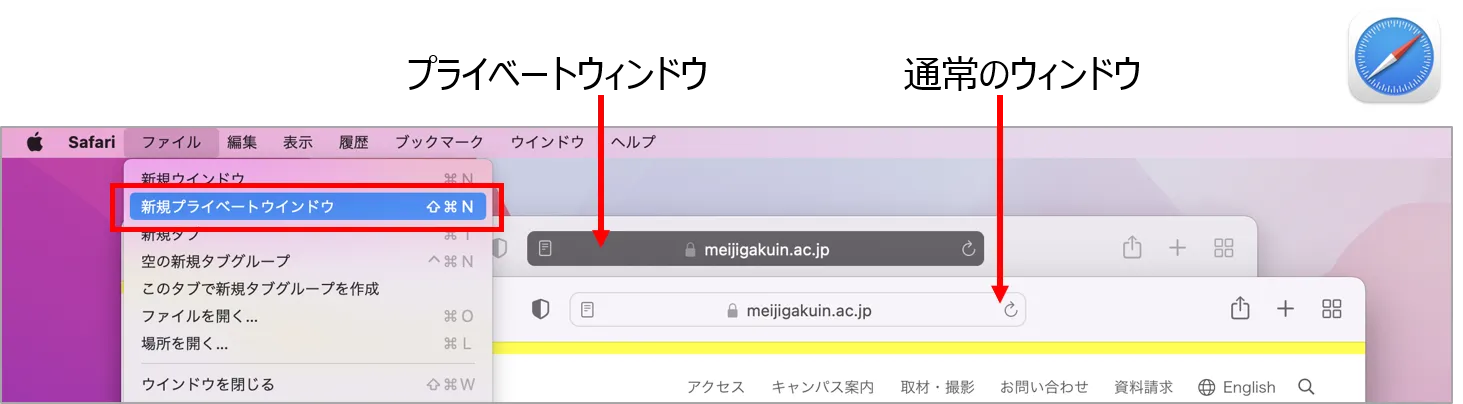
  • 使用している Mac に履歴や記録などを残さずに Safari で Web ページを閲覧する方法です。
  • プライベートウインドウで閲覧する Web ページは、iPhone、iPad など、ほかの Apple 製端末と共有されません。
  • プライベートウインドウのスマート検索フィールドは、通常よりも暗くなります。
  • 公式サイト参照:MacのSafariでプライバシーを保護した形でブラウズする
掲載:2022/08

This website stores cookies on your computer. These cookies are used to provide a more personalized experience and to track your whereabouts around our website in compliance with the European General Data Protection Regulation. If you decide to to opt-out of any future tracking, a cookie will be setup in your browser to remember this choice for one year.

Accept or Deny