メニュー 閉じる

PCスペック/ストレージの確認方法:ChromeOS

▶ ChromeOS / Windows / macOS /  iOS Android

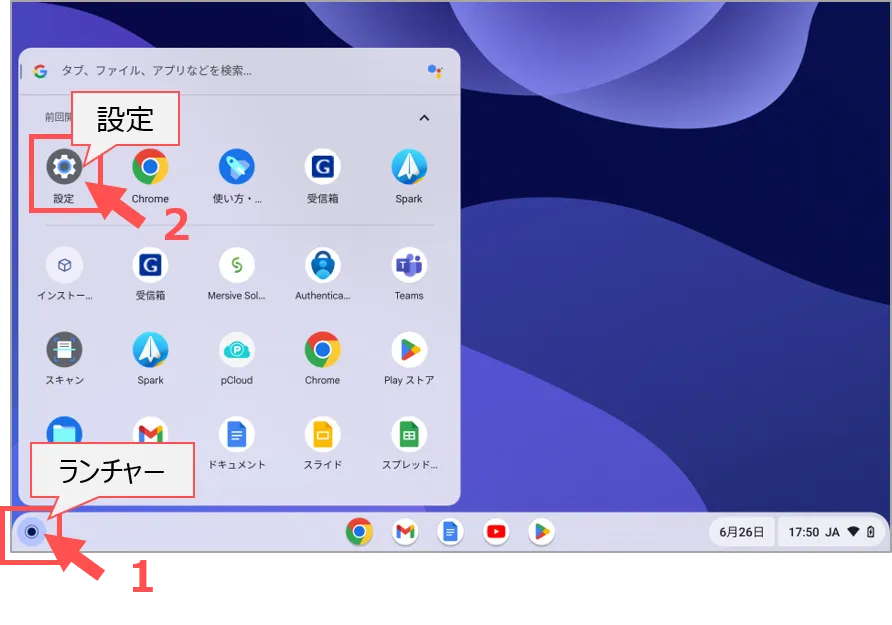
1.ランチャーをクリック

2.【設定】をクリック

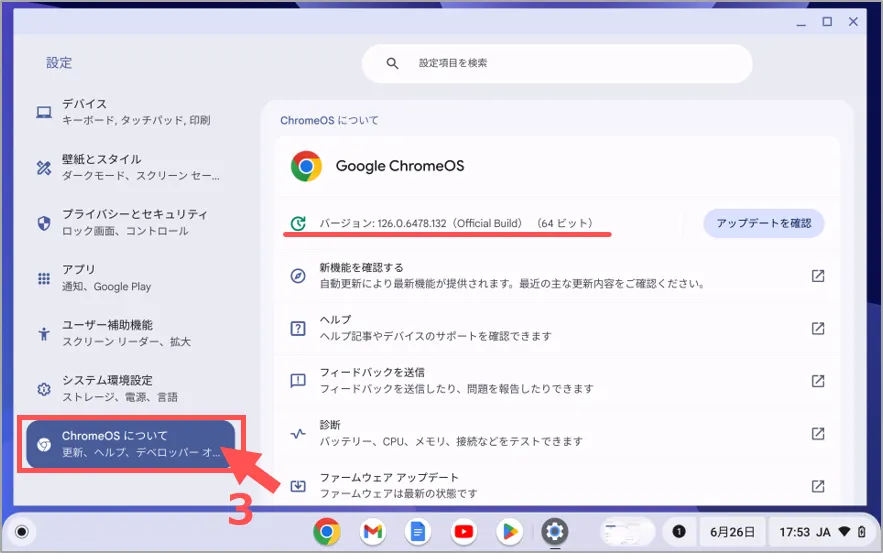
3.【ChromeOS について】をクリック

確認できる内容
OSのバージョン、CPUの種類

※注意:「アップデートを確認」にて、常に最新の更新バージョンにしてください。
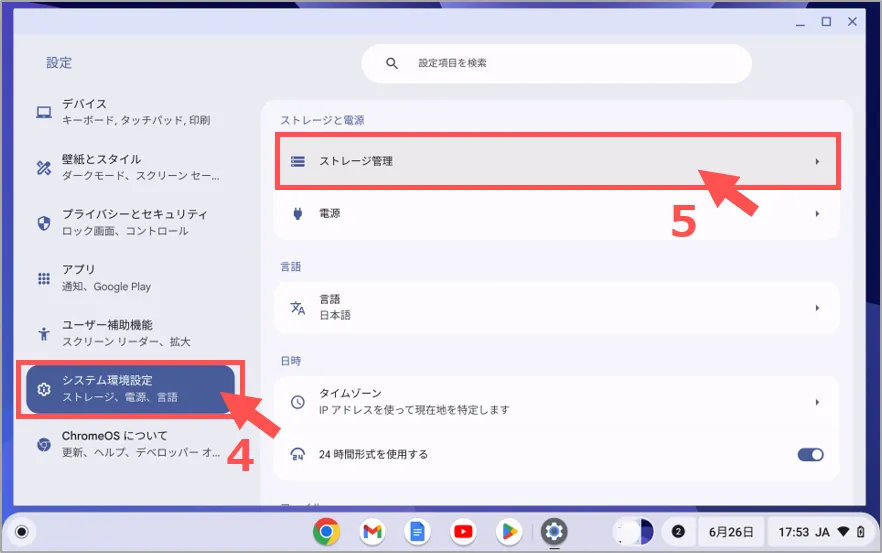
4.【システム環境設定】をクリック

5.【ストレージ管理】をクリック
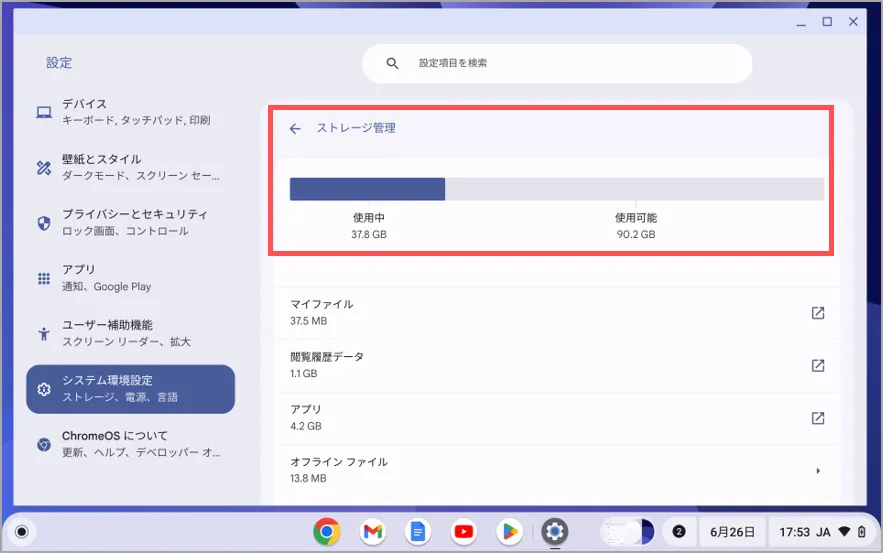
確認できる内容
使用量 / 空き容量

※注意:空き容量が不足すると、ファイルの保存やインストールができなくなります。
作成:2024/07

This website stores cookies on your computer. These cookies are used to provide a more personalized experience and to track your whereabouts around our website in compliance with the European General Data Protection Regulation. If you decide to to opt-out of any future tracking, a cookie will be setup in your browser to remember this choice for one year.

Accept or Deny